


Download & Install
Download S2V Driver Updater and install it on any Windows machine. Activate your 7-day free trial — no credit card needed.

DriverUpdater automatically scans, identifies, and updates device drivers in the background, with built-in backup, rollback, and complete audit tracking — designed to simplify driver management for IT teams.
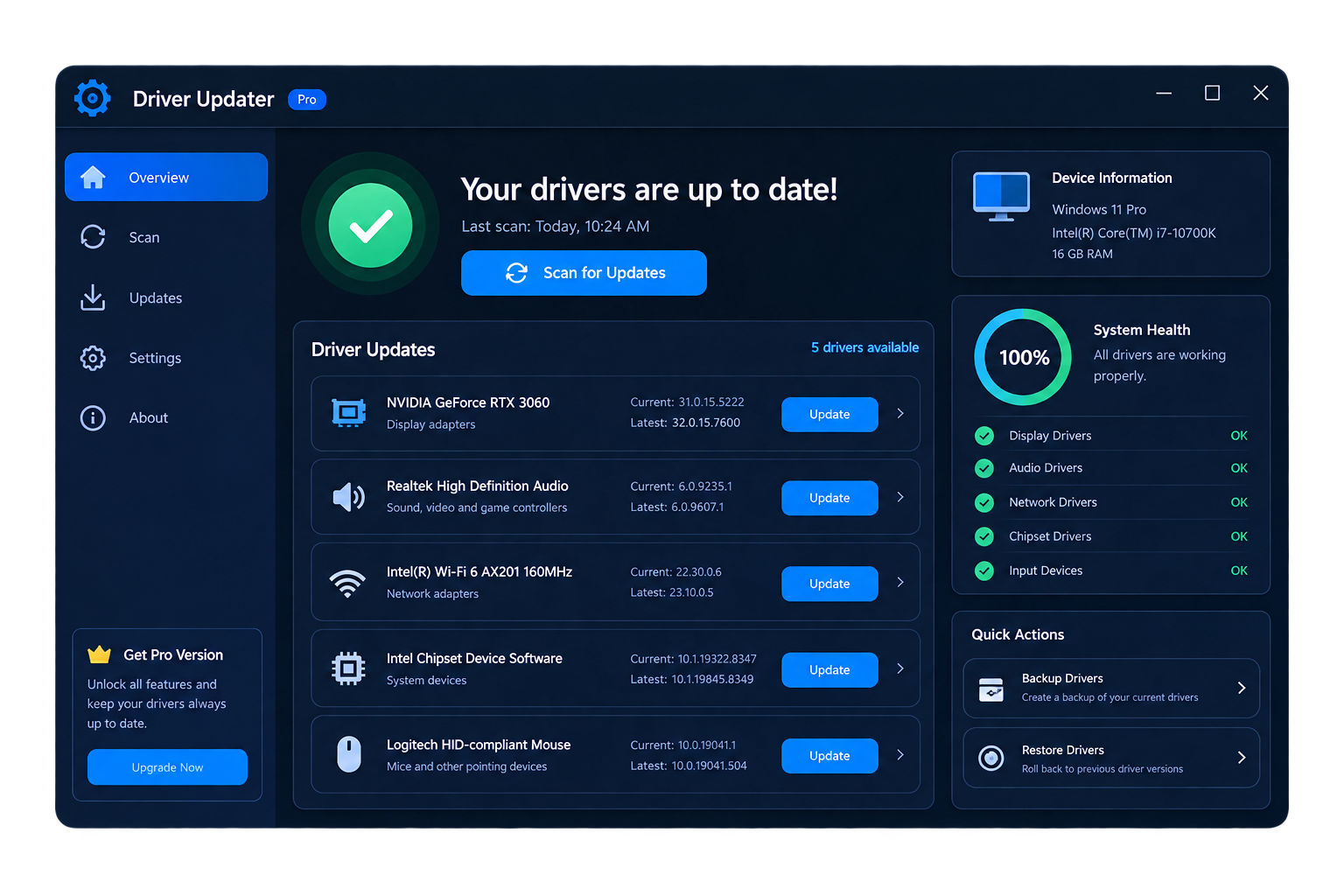
Driver should be updated according to their device
With Driver Updater, your device drivers can be updated automatically. Keeping your drivers up to date can help improve your device’s performance and ensure a smoother experience.
Get Started, Select Your Windows Version to Continue
Three steps. No configuration headaches. No scripts.
Download S2V Driver Updater and install it on any Windows machine. Activate your 7-day free trial — no credit card needed.
➜S2V Driver Updater scans all installed drivers, checks against your company server, and shows exactly what needs updating — including corrupt files.
➜Click Update. S2V Driver Updater downloads, installs, and verifies — with a backup created first. Your dashboard logs every action automatically.
Built from the ground up for enterprise environments — not just a wrapper
around Windows Update.

See what teams are saying about S2V Driver Updater.
"We manage over 40 machines across two offices. S2V Driver Updater cut our driver maintenance time from hours to minutes. The centralized server is a game changer."
S2V Driver Updater.
"The corrupt printer driver detection alone saves us at least two support calls a week. I can see exactly which machine has a broken driver before users even complain."
S2V Driver Updater.
"Deployed across our entire organization in a single afternoon. The backup and rollback feature gave our team the confidence to push driver updates without fear."
S2V Driver Updater.
Managing PC drivers becomes more convenient when driver information and available updates are accessible from one place. A driver updater can show the current status of graphics, audio, network, printer, and other hardware drivers. Updated drivers may support hardware compatibility, communication between devices and the operating system, and access to newer driver versions. Regularly checking drivers can also be part of routine system maintenance.
A convenient solution for managing drivers and reviewing system information on Windows system.
All third party products, brands or trademarks listed above are the sole property of their respective owner. No affiliation or endorsement is intended or implied.